

Garmin Connect™




Garmin Connect™ App Info
-
App Name
Garmin Connect™
-
Package Name
com.garmin.android.apps.connectmobile
-
Developer
Garmin -
Category
Health & Fitness -
Updated
2026/04/20
-
Version
5.24
Garmin Connect™ App Usage Overview
💡 Garmin Connect™ is your central hub for health and fitness data, built for people who train, stay active, or want clearer wellness insights.
🔗 After pairing your phone with a compatible Garmin device, you can review tracked activities, health metrics, and progress in one place.
📈 The app supports workout creation and course building, which helps you follow structured training plans instead of guessing day-to-day.
🏆 You can also challenge friends on the leaderboard, turning consistency into something social and measurable.
📊 A key value is detailed statistics for analyzed activities, making it easier to spot performance trends rather than relying on quick summaries.
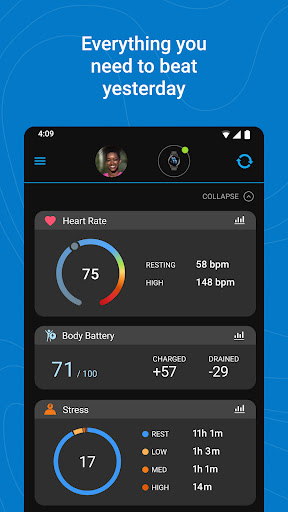
🎯 You can personalize the home screen so the most useful metrics appear immediately when you open the app.
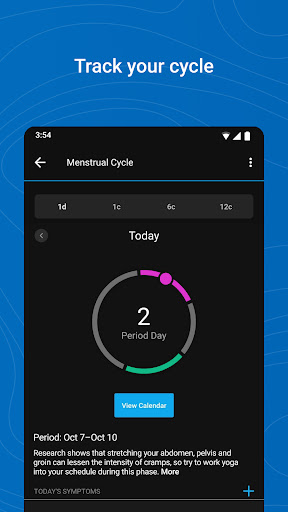
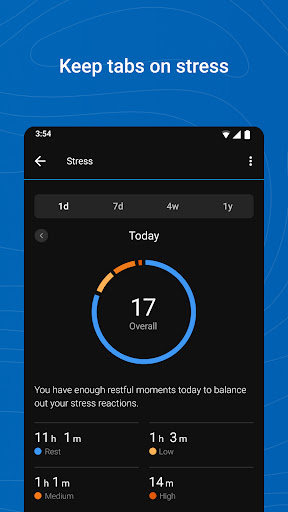
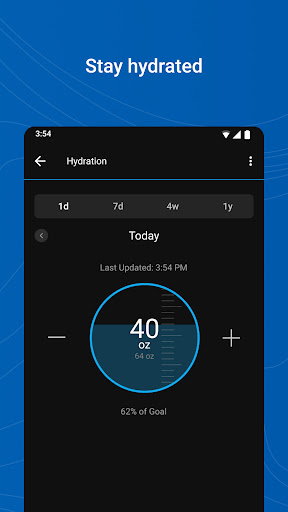
🧠 Garmin Connect tracks trends across heart rate, steps, sleep, stress, and other health indicators, supporting long-term goal setting.
📍 For GPS-based running, note that background GPS use can reduce battery life significantly, so plan accordingly for daily workflows.
🔐 The app may require SMS permission to receive and send messages from Garmin devices, and it may need call log permission to show incoming calls.
🧾 If you care about accuracy, Garmin highlights device and feature performance details; it’s worth reviewing those points before making decisions based on data.
Pros of Garmin Connect™ App
✅ 1. Personalized home screen boosts usability, letting you see high-value metrics instantly for training and daily habits.
📊 2. Deep activity analysis with detailed statistics makes it practical for performance-focused users and those evaluating progress.
🧩 3. Health trend tracking is broad, covering heart rate, steps, sleep, stress, calories, and more for a holistic view of wellness.
💼 As a bonus for people who manage subscriptions and connected services, the app’s syncing supports integrations that reduce manual tracking effort.
🔄 Sync with apps like MyFitnessPal and Strava can streamline routines for users who already rely on ecosystem-based tracking workflows.
🏅 Earn badges for accomplishments, which creates motivation loops that are especially helpful when progress feels gradual.
Cons of Garmin Connect™ App
⚠️ 1. Background GPS use can noticeably drain battery, which may be an issue for heavy runners or all-day device users.
🧾 2. Permission requirements like SMS and call log access may feel intrusive to some users, especially those cautious about data exposure.
📉 3. The range of metrics can be overwhelming, particularly for beginners who want simpler daily dashboards and fewer analytics choices.
🧭 In practice, users may need time to learn which metrics matter most, and that setup effort can delay real adoption.
⏱️ Sync reliability depends on device pairing and permissions; if your workflow breaks, troubleshooting can be time-consuming.
🔍 For enterprise-style users who expect strict governance, it may require extra attention to settings, sharing, and permissions to match internal standards.
Summary
🌟 Garmin Connect™ feels like a serious toolkit rather than a casual fitness tracker dashboard, especially if you want measurable training progress.
📊 The strongest part is how it turns daily signals into usable trends, helping you connect activities to recovery and overall health patterns.
💪 If you like structured training, workout and course tools add real value, and the leaderboard element keeps motivation steady.
🧠 The app also supports a data-driven mindset that many high-income users appreciate, since accuracy and insights often justify ongoing device and service costs.
🔐 Still, permission prompts and potential battery drain are the trade-offs, and you should review settings to align with your comfort level.
🏁 Overall, it’s a dependable companion for people who take fitness seriously and want one place to track, plan, and reflect.
How to Download the Garmin Connect™ App
⬇️ 1. Download Garmin Connect™ from our website, then follow the on-screen steps to install on your phone.
📱 2. Open the app after installation and pair your phone with a compatible Garmin device to unlock activity tracking and health insights.
🔍 3. Verify device compatibility on Garmin’s reference pages, including BLE compatibility and the full list of supported devices.
🧾 4. Review permissions carefully, especially for SMS and call features, so the app functions as expected without surprises.
📡 5. Once set up, your first sync is the gateway to workouts, courses, statistics, and ongoing health metric trends.
💬 6. If you manage multiple services and subscriptions, you can use integrations to consolidate data and reduce manual effort across platforms.
🏥 7. For feature accuracy concerns, consult Garmin’s accuracy resources so you can interpret metrics appropriately and confidently.
Garmin Connect™
Version 5.24 Updated 2026/04/20


