

Google Chat
Google Chat App Info
-
App Name
Google Chat
-
Package Name
com.google.android.apps.dynamite
-
Developer
Google LLC -
Category
Business -
Updated
2026/04/16
-
Version
2026.04.13.898834295.Release
Google Chat Is More Than a Messaging App
Google Chat is designed for people who already work within Google Workspace and want conversations, files, tasks, and meetings to stay connected.
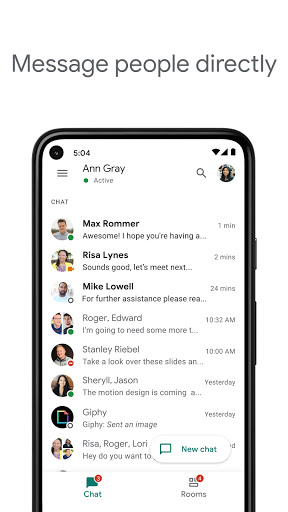
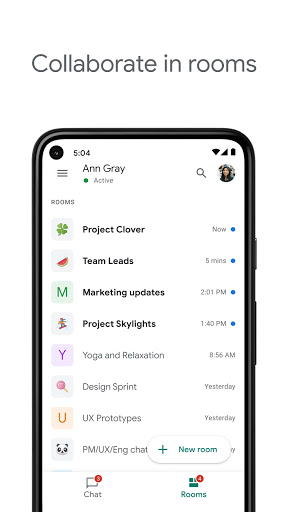
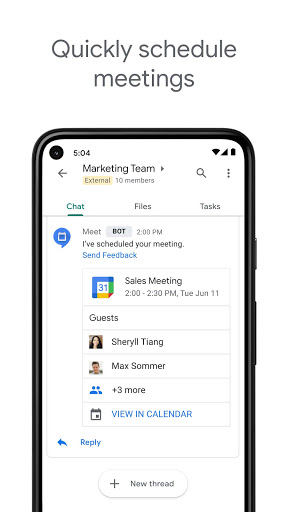
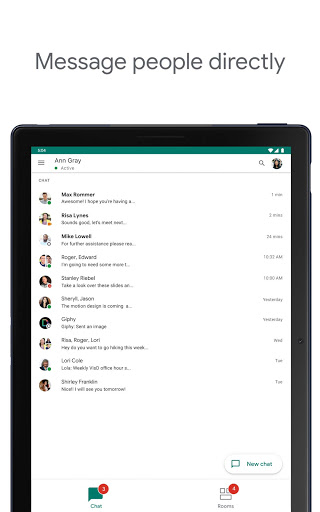
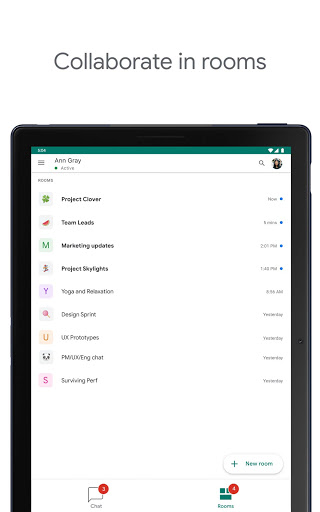
Its biggest difference from a conventional chat app is the way conversations can become part of an ongoing workflow. Direct messages work for quick questions, while Spaces provide a shared place for projects, announcements, files, tasks, and longer discussions.
From Conversation to Action
💬 Use Spaces for ongoing projects
A Google Chat Space can be organized around a project, team, or recurring topic.
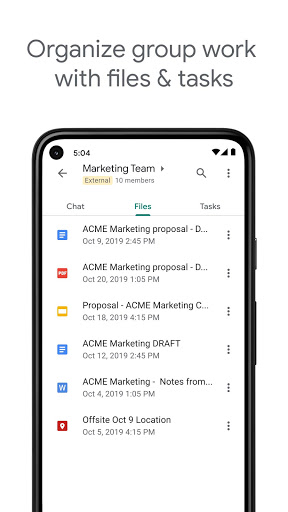
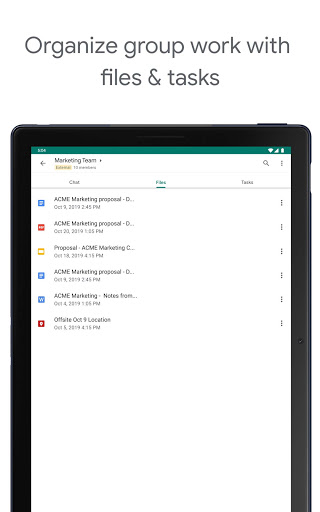
Instead of letting useful information disappear inside a long message history, team members can keep discussions in threads, share files, and assign tasks from the same workspace.
This makes Spaces more useful for structured teamwork than a simple group chat.
✅ Turn messages into tasks
Google Chat supports task creation and assignment inside Spaces. Team members can set due dates and track progress without moving every action item into a separate task system.
That is particularly helpful when a conversation naturally leads to a concrete next step.
Gemini Changes How Chat Is Used
✨ Summarize conversations instead of scrolling
Current Google Chat uses Gemini to help users catch up on conversations and identify important information.
For busy teams, this can reduce the time spent reading through long message threads when returning to a project after several hours or days.
🌍 Translate messages across languages
Google Chat can automatically translate messages across more than 120 languages, making multilingual collaboration easier for distributed teams.
This is one of the features that becomes especially valuable when a team works across countries rather than within one office.
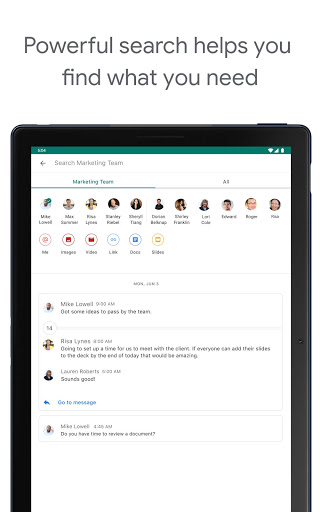
🔎 Find information with AI-powered search
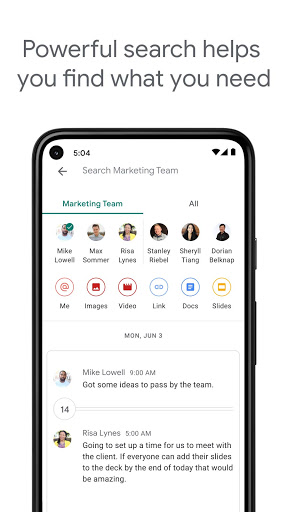
AI-powered search helps users locate information without relying entirely on exact keywords.
For teams with a large volume of historical conversations and shared information, better search can be more valuable than adding another messaging feature.
Where Google Chat Fits Into Workspace
📁 Drive, Calendar, Tasks, and Meet
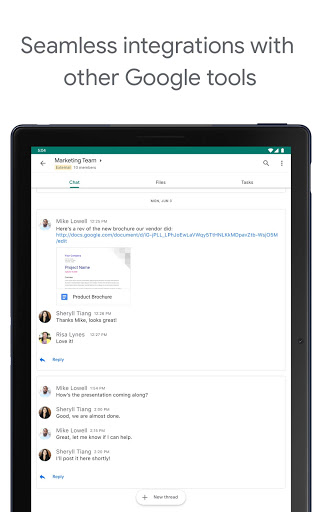
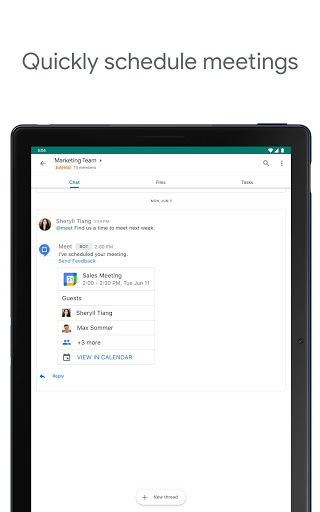
Google Chat works closely with other Workspace services, including Gmail, Calendar, Drive, Tasks, and Meet.
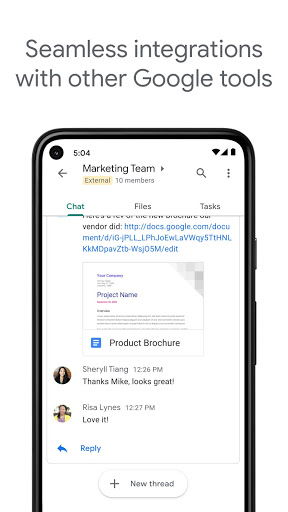
Files can be shared through conversations, meetings can be connected to collaboration, and smart chips can link people, files, and Spaces.
For organizations already using Google Workspace, this integration can remove much of the friction caused by switching between separate productivity apps.
⚡ Huddles for quick collaboration
Google Chat also supports huddles, giving teammates a way to connect in real time when text alone is not enough.
This is useful when a short discussion is faster than exchanging multiple messages.
Useful Beyond Basic Team Chat
🤖 Chat apps and automation
Google Chat supports third-party Chat apps such as Jira, GitHub, Asana, PagerDuty, and Workday.
Organizations can also build custom integrations using Chat APIs and Apps Script, allowing Chat to become part of an existing workflow rather than functioning as an isolated communication tool.
🎥 Audio and video updates
Teams can share more detailed updates through audio and video messages, which can be useful when explaining something would take too long to type.
Best Use Cases for Google Chat
🧑💻 Distributed and hybrid teams
When coworkers work in different locations or time zones, Spaces, threads, shared files, and searchable conversations provide a persistent place to keep project context.
📋 Projects with frequent follow-ups
Teams that generate many action items during discussions can benefit from creating and assigning tasks without leaving the conversation environment.
🌐 International collaboration
Automatic translation and shared Workspace tools make Google Chat particularly useful for organizations where team members communicate in different languages.
Security and Administrative Control
🔐 Designed for business data
Google Chat uses Google Workspace's cloud-native security model, including zero-trust architecture and data loss prevention capabilities. Google also highlights phishing and malware detection as part of its security approach.
For organizations handling sensitive information, this can be more important than visual customization or chat effects.
⚙️ Enterprise features depend on the Workspace plan
Not every Google Chat capability is available to every account. Some advanced features are restricted to particular Google Workspace editions or may depend on administrator configuration.
This is worth checking before comparing Google Chat with independent messaging platforms.
Pros and Limitations
👍 Pros
Strong integration with Google Workspace
Spaces combine conversations, files, and tasks
Gemini adds summaries, translation, search, and action-item support
Broad third-party integration ecosystem
Business-oriented security and administrative controls
⚠️ Limitations
The strongest experience is tied to the Google Workspace ecosystem
Some advanced features require specific Workspace plans
The number of integrations and administrative options can feel complex for small teams
Users outside a Workspace-based organization may find a simpler messaging app easier to adopt
Editor's Verdict
Google Chat makes the most sense when communication is already part of a larger Google Workspace workflow.
Its key advantage is not simply fast messaging. Spaces keep project context organized, Tasks turn conversations into actions, Drive keeps files nearby, Meet handles real-time discussions, and Gemini helps users catch up with what they missed.
That makes Google Chat particularly strong for organizations that want fewer disconnected productivity tools. For a small group looking only for casual messaging, it may offer more infrastructure than necessary.
For Workspace-based teams, however, Google Chat works less like a standalone messenger and more lik the communication layer connecting everyday conversations with actual work.
Google Chat
Version 2026.04.13.898834295.Release Updated 2026/04/16


