

YouTube Studio
YouTube Studio App Info
-
App Name
YouTube Studio
-
Package Name
com.google.android.apps.youtube.creator
-
Developer
Google LLC -
Category
Video Players & Editors -
Updated
2026/04/13
-
Version
26.16.000
1. YouTube Studio App Usage Overview
📱 If you manage a channel, YouTube Studio on mobile is one of the highest-value creator tools because it connects performance data to day-to-day decisions.
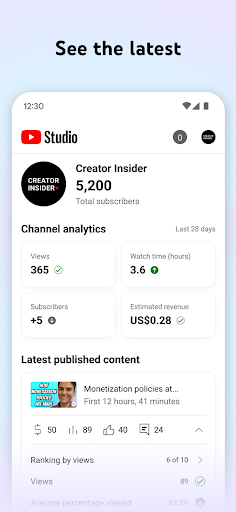
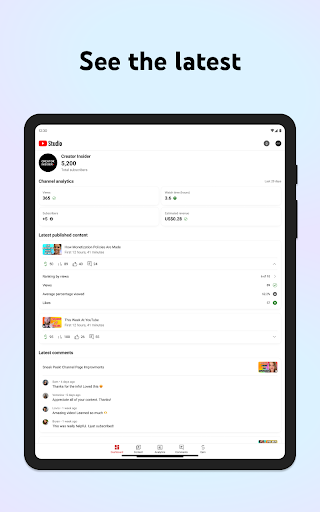
📈 You get a quick Channel Dashboard view that helps you spot what’s working for your content and the signals advertisers care about, like engagement and watch time.
🧠 For creators planning growth toward monetization, the app’s analytics support makes it easier to treat YouTube like a real revenue channel, not just a hobby.
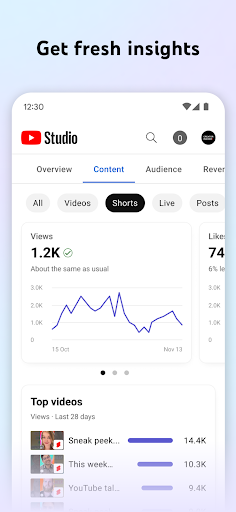
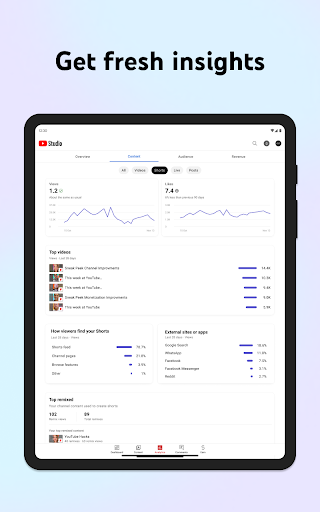
🔍 You can understand how your channel and content types perform through detailed Analytics, including comparisons across videos, Shorts, and livestreams.
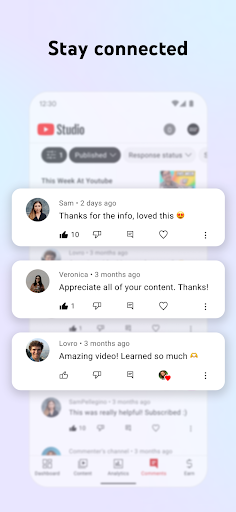
💬 You can sort and filter comments to find the conversations that matter most, which helps you reduce churn in your audience relationship and protect brand trust.
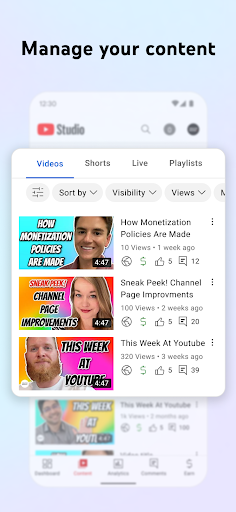
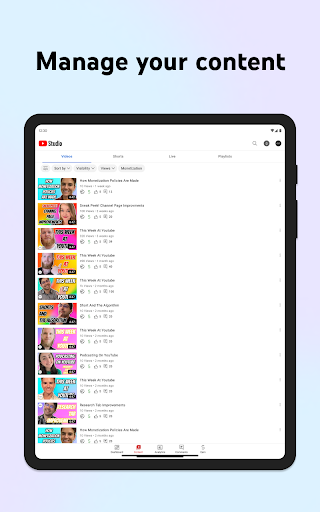
🎛️ You can also manage channel look and feel, and update individual content details, which is essential when you run a consistent publishing calendar.
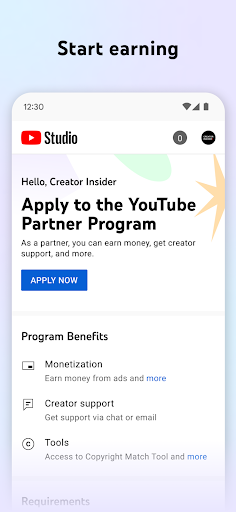
💼 If you aim to earn income professionally, the app supports applying for the YouTube Partner Program, giving you a clear path toward monetization and long-term revenue.
💳 For creators thinking in terms of subscriptions, sponsorships, and paid communities, this app is valuable because it helps you choose content that attracts higher-paying audiences.
🛠️ Overall, the workflow feels built for mobile operators: check performance, respond to your community, then adjust titles, details, and settings without losing momentum.
2. Pros of YouTube Studio App
✅ 1. Channel Dashboard for quick performance decisions: You can get an overview fast, which supports practical planning for growth and advertiser-friendly metrics.
✅ 2. Analytics depth across content types: Detailed Analytics helps you identify which topics and formats lift results, supporting higher-value campaigns like SaaS education and consulting.
✅ 3. Comment filtering to protect audience quality: Sorting and filtering comments helps you prioritize important conversations, which supports community retention for premium subscriptions.
🚀 These strengths matter to anyone running a monetization strategy that may include affiliate revenue, sponsorship outreach, and enterprise lead-generation content.
💰 When your content consistently performs, it’s easier to justify higher CPC and higher eCPM ad opportunities, since advertisers prefer stable engagement patterns.
📊 The app also helps you respond faster, which can increase viewer trust and improve conversion signals that advertisers track indirectly via platform performance.
3. Cons of YouTube Studio App
⚠️ 1. Limited room for deep editing on mobile: Managing video details works, but large-scale changes can feel slower than doing it on a desktop.
⚠️ 2. Learning the analytics context takes time: The data is useful, yet it can be complex, especially for creators used to simpler reporting dashboards.
⚠️ 3. Notifications and workloads can become distracting: Frequent checks may pull attention away from recording, production, and creative work.
🧾 If you’re building a business with tight schedules, that overhead can affect consistency unless you set clear time blocks for Studio tasks.
📉 For teams running multiple channels, the mobile experience may not replace full management tools, particularly when you need bulk actions.
🛡️ While comments can be filtered, moderation still requires judgment, and automation cannot fully replace thoughtful community management.
4. Summary
🧩 YouTube Studio feels like the essential control panel for creators who want to treat their channel like an operating system, not a static page.
📌 The best part is how it connects performance, audience conversations, and content management into one mobile workflow you can use anywhere.
💡 From a business perspective, this matters for creators targeting high-value niches such as finance, subscriptions, fintech education, and SaaS tutorials.
🧠 When you can quickly spot what drives watch time and engagement, you can make smarter decisions that attract advertisers offering stronger CPC and eCPM.
🎯 The comment tools also support relationship building, which helps turn casual viewers into loyal subscribers, members, and returning customers.
🕒 On the downside, mobile isn’t always ideal for heavy editing, and analytics interpretation can take practice for beginners.
🌟 Still, for most creators, the app’s convenience and responsiveness make it a strong daily companion for monetization planning and channel growth.
5. How to Download the YouTube Studio App
⬇️ You can download the YouTube Studio app from our website, which provides a straightforward way to get the correct version for your device.
📲 After installing, sign in and your Channel Dashboard, Analytics, and comment tools will be ready for you to use right away.
🔔 If you’re serious about growth, set up your workflow so you check performance, engage with your community, and update content details consistently.
💼 For creators aiming at premium monetization pathways like the YouTube Partner Program, starting with the mobile app helps you act quickly on what the data shows.
🛍️ Once you’re comfortable with Studio, you can better plan sponsor outreach, affiliate content, and other revenue streams tied to high-value advertiser demand.
YouTube Studio
Version 26.16.000 Updated 2026/04/13


