

YouTube

YouTube App Info
-
App Name
YouTube
-
Package Name
com.google.android.youtube
-
Developer
Google LLC -
Category
Video Players & Editors -
Updated
2026/04/21
-
Version
21.16.245
YouTube App Usage Overview
📺 Using the official YouTube app on Android is a fast way to watch what’s popular, from music and gaming to fashion, beauty, news, and learning.
📲 The app is designed for subscriptions-style engagement: you can subscribe to channels you love and quickly pick up where you left off.
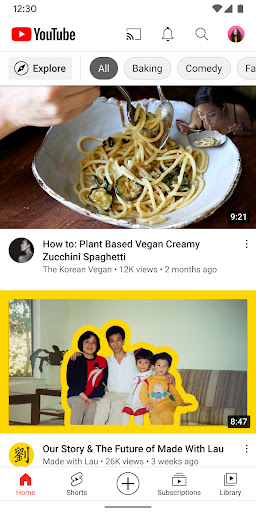
🏠 Home gives personal recommendations tuned to your interests, helping you discover new creators and topics without endless searching.
🔔 Subscriptions keeps you updated with the latest uploads from your favorite channels, which is especially useful when you follow multiple niche creators.
🗂️ Library acts like a private media hub, showing videos you’ve watched, liked, and saved for later—handy for consistent review and learning.
🌍 Explore helps you find what’s trending around the world and on the rise, including music, gaming, and beauty content from different regions.
📈 For advertisers, this discovery flow supports high-intent viewing because people arrive ready to watch, share, and take action.
🧠 The app also features learning-focused browsing, so viewers can follow tutorials, courses, and educational channels directly on their mobile devices.
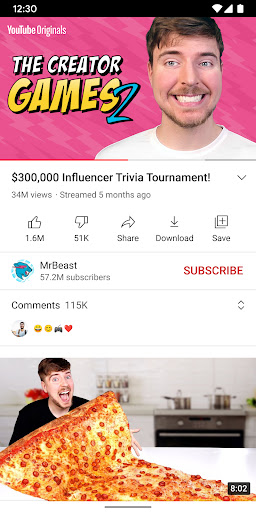
👥 You can connect with the community through comments and participation, which increases engagement signals that many brands value.
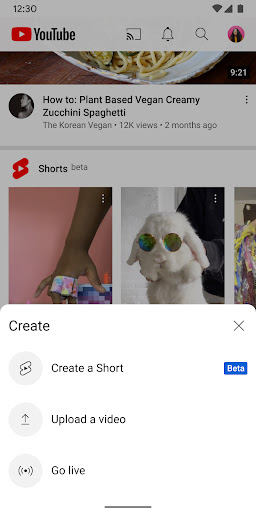
🎬 You can create content directly in the app, including uploading videos and engaging in real time with live streams from your phone or tablet.
👪 Family options help you manage viewing experiences, which can be important for households using mobile video across age groups.
💳 Channel memberships let creators monetize with paid monthly subscriptions, and viewers gain exclusive perks tied to community membership.
✨ YouTube Premium adds an ad-free viewing experience, plus background playback and offline-style saving, making it attractive for power users.
Pros of YouTube App
✅ 1) Strong personalized recommendations: Home surfaces relevant videos, which improves watch time and makes discovery feel more “subscription-like.”
🔥 2) Great multi-surface viewing: You can watch on any Android phone or tablet and keep engagement consistent across devices.
🎥 3) Creator-friendly engagement: Posts, Stories, premieres, live streams, and comments make it easy to build community and loyalty.
Cons of YouTube App
⚠️ 1) Content overload: With so many trending categories, it can be hard to manage attention without careful curation in Home and Library.
📶 2) Data usage on mobile networks: Watching high-resolution videos regularly can consume mobile data, increasing costs for some users.
🧾 3) Premium and membership friction: Ad-free viewing and certain features are tied to paid tiers, which may feel like recurring payments.
Summary
📝 I like how the app blends entertainment and learning with a practical workflow: Home for discovery, Subscriptions for consistency, and Library for control.
📌 The biggest value is engagement. Live streams, comments, and community features make the app feel less like passive TV and more like a real platform.
💡 For viewers who follow gaming, music, and education, it’s a reliable daily habit that can support long-term learning and community participation.
🔒 For families, the availability of kid-focused and parent-supervised options reduces uncertainty when kids use mobile video.
💸 For people focused on budgeting, I recommend checking whether you want YouTube Premium or memberships, since ad-free benefits and perks can justify subscription costs.
📱 Overall, the YouTube app is a polished Android hub for watching, subscribing, and creating, with features that align well with modern subscription behavior.
How to Download the YouTube App
⬇️ You can download the YouTube app from our website, then install it on your Android phone or tablet to start watching immediately.
🛡️ After installation, open the app and sign in if you want personalized Home recommendations, subscriptions, and a synced Library.
YouTube
Version 21.16.245 Updated 2026/04/21


