

Ring - Always Home
Ring - Always Home App Info
-
App Name
Ring - Always Home
-
Package Name
com.ringapp
-
Developer
Ring.com -
Category
Lifestyle -
Updated
2026/04/14
-
Version
3.102.0
Ring - Always Home App Usage Overview
🏠 Ring turns a phone into a home command center, combining doorbell, security cameras, Smart Lights, and alarm alerts in one Ring app experience.
🔔 With real-time doorbell and motion alerts, you can act fast, whether you manage a personal residence or oversee a remote property portfolio.
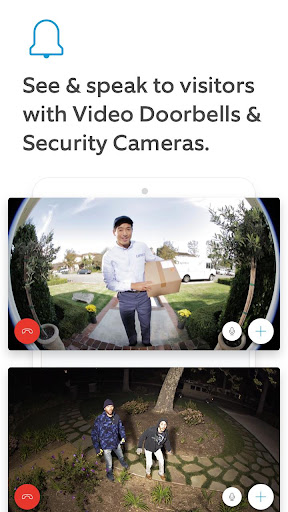
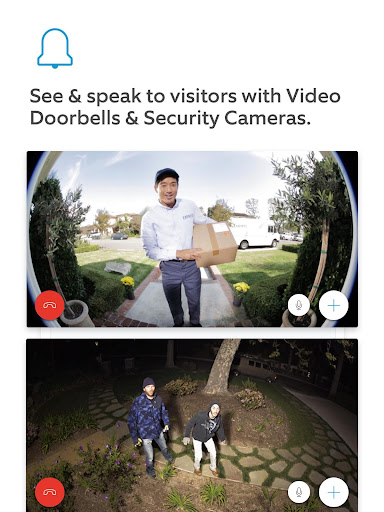
📹 Live HD video helps you monitor what matters, while two-way talk supports quick, professional greetings to visitors and couriers.
🧾 For higher-value needs, Ring Protect subscriptions (or free trials) let you review, save, and share videos, which is useful for documentation and incident workflows.
💡 Ring Smart Lights add automated control and scheduling, and some models can notify you about nearby motion and coordinate with compatible devices.
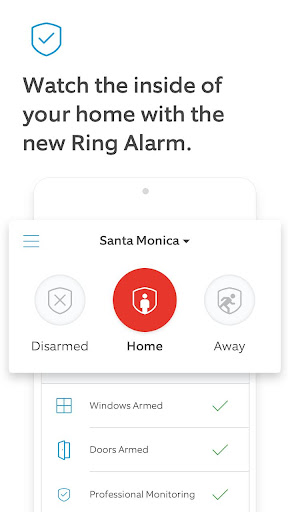
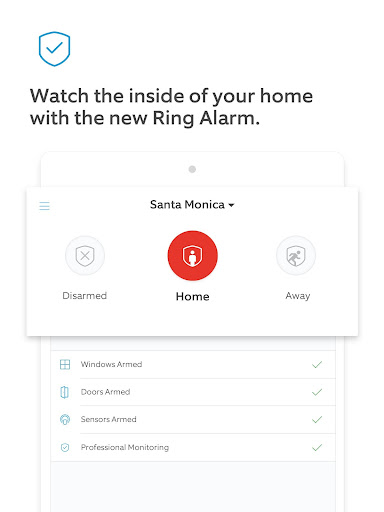
🛡️ Ring Alarm systems help monitor entrances and indoor spaces, with sensor triggers that can surface safety concerns through the app.
🚨 If you enroll in Ring Alarm Professional Monitoring, you can request dispatch when your alarm triggers, designed for users who need stronger continuity and response.
📲 The app also supports practical, day-to-day monitoring, showing triggered sensor activity and enabling rapid decision-making from anywhere.
📦 Whether you are traveling halfway around the world or just away shopping, Ring helps you stay present through alerts and video access.
✅ Note that professional monitoring enrollment requires a compatible Ring subscription, and service availability depends on region and address type.
📄 Additional limitations apply for commercial zones and specific monitoring features, so check licensing and terms if you need compliance.
- 📲 Get real-time doorbell and motion alerts on your smartphone or tablet
- 👋 See and speak with visitors using HD video and two-way talk
- ⏱️ Get real-time alerts when your Alarm sensors are triggered
Pros of Ring - Always Home App
⚡ Instant alerts deliver high responsiveness, which matters for subscription-driven security workflows and reduces the time between detection and action.
📹 Live HD video with two-way talk adds practical verification, helping you avoid false alarms and handle deliveries with clarity.
💾 Ring Protect support for reviewing, saving, and sharing videos is valuable for evidence management, insurance discussions, and customer service escalations.
🧠 Smart device integration with cameras, doorbells, Smart Lights, and alarm sensors creates a cohesive system instead of separate apps.
🌐 Remote access makes it easier to manage multiple locations, a strong fit for small landlords, property managers, and distributed teams.
👮 Professional Monitoring can add enterprise-style continuity, supporting a faster escalation path when alarms trigger.
🧩 Motion-triggered lighting that can coordinate with other compatible Ring devices improves situational awareness automatically.
🧰 A centralized interface reduces operational friction, which is useful when you are juggling schedules, travel, and recurring security checks.
Cons of Ring - Always Home App
🔁 Alerts can become noisy if motion settings are not tuned, which increases review time and can impact subscription value for busy users.
💸 Some core features depend on Ring Protect subscriptions, so ongoing costs may feel higher than expected compared with one-time purchase systems.
🕒 Professional Monitoring enrollment requires a compatible subscription and has geographic constraints, which can limit availability for some addresses.
🧾 Depending on your local jurisdiction, additional fees may apply for permits, false alarms, or verified guard response services.
🧑💼 If you operate from business or commercially zoned addresses, certain monitoring features like smoke and carbon monoxide are not available.
🧑⚖️ Professional Monitoring dispatch is subject to licensing rules, so you may need extra verification before relying on it for critical coverage.
📱 Some users may need time to learn best practices for alerts, video review, and device coordination across cameras and lights.
🌙 Scheduling Smart Lights is helpful, but if your routine changes often, configuration may require periodic adjustments.
Summary
📌 Ring - Always Home feels built for people who want dependable security visibility without complex setup or switching apps constantly.
🧠 The biggest strength is the combination of real-time alerts, live HD video, and two-way talk, which reduces uncertainty at the door.
💼 The ability to review, save, and share Ring videos under Ring Protect is especially relevant if you treat security events like case records.
🔔 For frequent travelers and multi-location households, the app supports consistent monitoring and faster reactions from anywhere.
⚖️ Still, the experience depends on subscriptions and regional monitoring rules, so costs and eligibility deserve careful review.
✅ If you want a streamlined security and home automation app with practical alerts and coordinated device behavior, Ring is a strong choice.
💡 For users who are comfortable tuning settings, Ring can feel almost like a managed service, even when you are off-site.
How to Download the Ring - Always Home App
⬇️ You can download the Ring - Always Home app from our website, then sign in to connect your Ring devices.
📲 After installation, open the app to configure doorbells, cameras, Smart Lights, and alarm sensors for real-time alerts.
🔐 Sign in using your Ring account, then follow setup steps to grant permissions for video, notifications, and device control.
🧾 If you plan to use video review and sharing, consider Ring Protect options or a trial during setup.
🚨 For users interested in Professional Monitoring, check subscription compatibility and regional availability within the app journey.
🏁 Once configured, the app will centralize your alerts, video access, and alarm sensor status in one place.
Ring - Always Home
Version 3.102.0 Updated 2026/04/14


