

Duo Mobile


Duo Mobile App Info
-
App Name
Duo Mobile
-
Package Name
com.duosecurity.duomobile
-
Developer
Cisco Systems, Inc. -
Category
Business -
Updated
2026/04/12
-
Version
4.111.0
Duo Mobile App Review: A Practical Tool for Multi-Factor Authentication
Duo Mobile is a mobile authentication app that adds an extra verification step when signing in to services protected by Duo Security. Instead of relying on a single password, users can confirm a login through a Duo Push notification or enter a temporary passcode.
The app also supports certain third-party accounts that use compatible TOTP codes, giving users more than one way to handle two-factor authentication from the same device.
Choosing the Right Authentication Method
📲 Duo Push for everyday logins
For supported Duo accounts, Duo Push is usually the quickest option. A login request appears on the phone, allowing the user to approve or deny it directly.
This is particularly convenient for frequent work logins because there is no need to manually copy a code every time. Duo also supports verified push flows for situations where additional confirmation is required.
🔢 Passcodes when you need another option
Duo Mobile can generate one-time passcodes, which can be entered into a login screen when passcode authentication is enabled.
For compatible third-party services, the app can also work with TOTP accounts, making it useful beyond the Duo Security ecosystem.
Where Duo Mobile Is Most Useful
💼 Work accounts and remote access
Duo is commonly used to protect access to services such as VPNs, email, web portals, cloud applications, and other business resources. In these situations, Duo Mobile acts as the second step after the user's normal credentials have been entered.
For employees who sign in to protected systems several times a day, Push authentication can make MFA less disruptive.
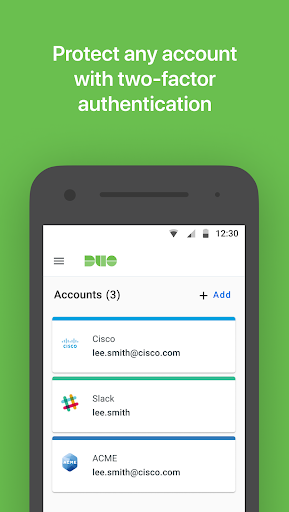
🔐 Multiple authentication accounts
Duo Mobile can also store compatible third-party authentication accounts.
This is useful for users who prefer to keep several 2FA/TOTP credentials in one application rather than switching between multiple authenticator apps.
Setup Is an Important Part of the Experience
🔗 Duo accounts need to be activated
Installing Duo Mobile alone does not automatically protect a Duo account.
The account must first be enrolled and linked to the application. During activation, users may be asked to scan a QR code, and Duo Mobile requests camera access specifically for this purpose.
Once the account has been enrolled correctly, the authentication process becomes much more straightforward.
📷 Camera access is mainly for activation
The camera permission is associated with QR-code scanning during account setup rather than everyday login approval.
Users who cannot or do not want to use the QR-code method may have another activation method available depending on how their Duo account has been configured.
Beyond the Phone
⌚ Duo Wear for Wear OS
Duo Mobile also has a companion experience called Duo Wear for compatible Wear OS smartwatches.
It can display Duo Push requests and generate one-time passcodes, allowing some authentication tasks to be handled from the wrist instead of opening the phone.
This can be especially convenient for users who frequently authenticate during work sessions.
Pros and Limitations
👍 Pros
Fast Duo Push approval for supported accounts
One-time passcodes provide an alternative authentication method
Compatible with certain third-party TOTP accounts
Supports Android and iOS
Duo Wear extends authentication to compatible Wear OS watches
⚠️ Limitations
Duo accounts require an enrollment and activation process before the app can be used
Not every third-party service is compatible with Duo Mobile's TOTP functionality
The available authentication methods depend on how the protected account has been configured
Users may need to update the app or operating system when an organization enforces minimum supported versions.
Editor's Verdict
Duo Mobile is most effective when viewed as a flexible authentication layer rather than simply a passcode generator.
Its biggest advantage is the choice between Duo Push and passcodes, while support for compatible third-party TOTP accounts makes the app useful beyond a single login ecosystem.
For employees accessing protected company resources, Duo Mobile can make repeated MFA checks considerably faster. For personal users, its third-party TOTP support can also provide a convenient way to manage compatible 2FA accounts in one place.
The main consideration is setup: Duo accounts must first be properly enrolled and linked. Once that process is complete, however, the everyday authentication experience is relatively straightforward.
Duo Mobile
Version 4.111.0 Updated 2026/04/12


