

PlayStation App
PlayStation App App Info
-
App Name
PlayStation App
-
Package Name
com.scee.psxandroid
-
Developer
PlayStation Mobile Inc. -
Category
Entertainment -
Updated
2026/09/24
-
Version
26.9.2
PlayStation App: Stay Connected to Your Gaming Friends Anywhere
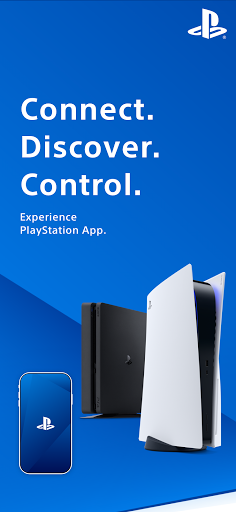
The PlayStation App is a must-have companion for avid gamers who want to stay connected to their gaming friends and the games they love to play, no matter where they go. With a range of features that enable seamless communication, game management, and access to the latest news and deals, this app revolutionizes the gaming experience. In this review, we will explore the three advantages and disadvantages of the PlayStation App, address some frequently asked questions, and provide an analysis from the editor's perspective.
Advantages
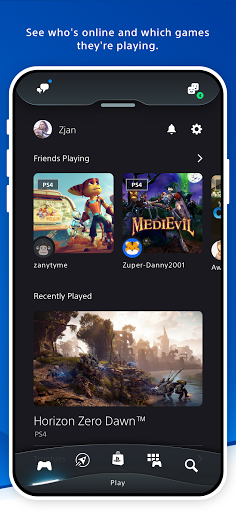
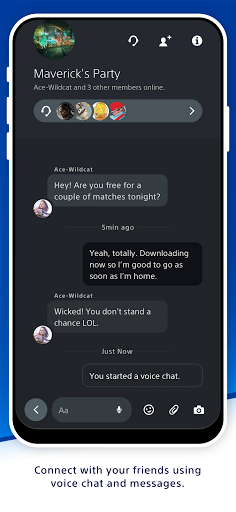
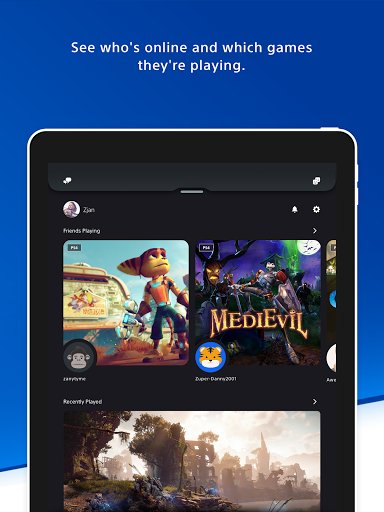
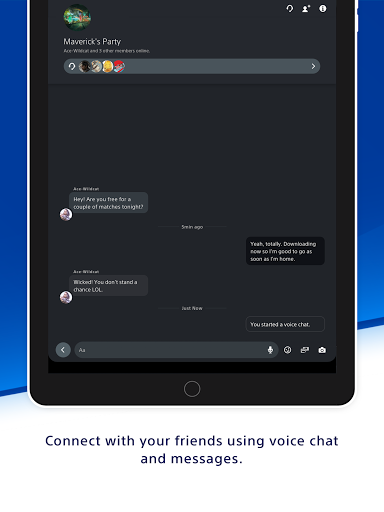
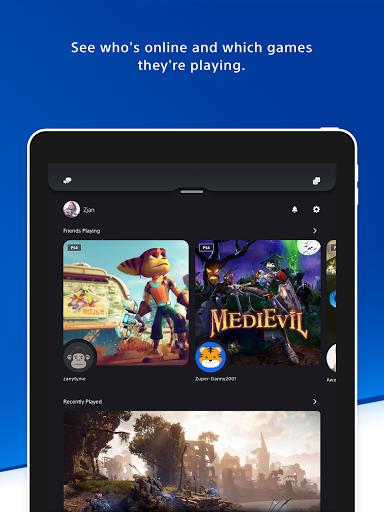
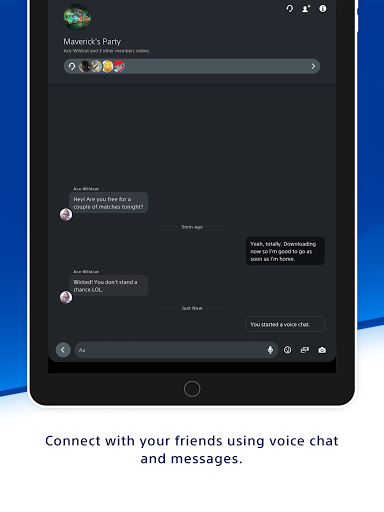
1. Connect with Friends: The PlayStation App allows users to effortlessly connect with their gaming friends. With a quick glance, you can see who's online and what games they're playing, making it easy to coordinate multiplayer sessions. Moreover, the voice chat and messaging features enable users to keep up with their PSN friends, engage in real-time conversations, and plan gaming sessions. The ability to view other players' profiles and trophy collections adds an element of competition and camaraderie.
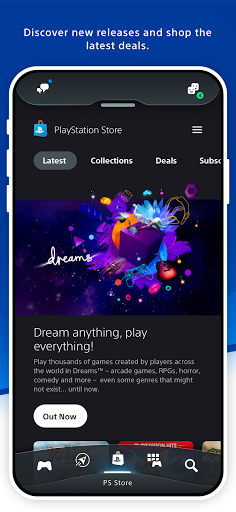
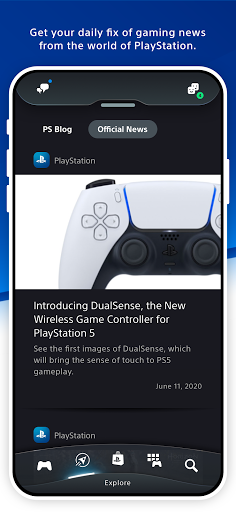
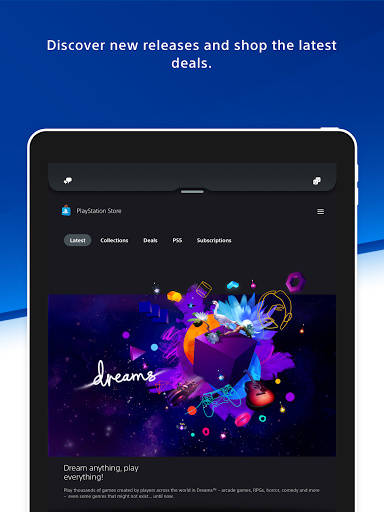
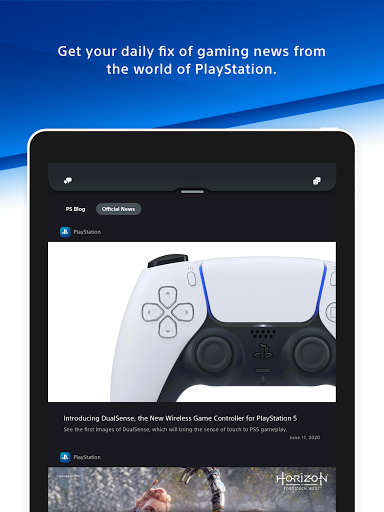
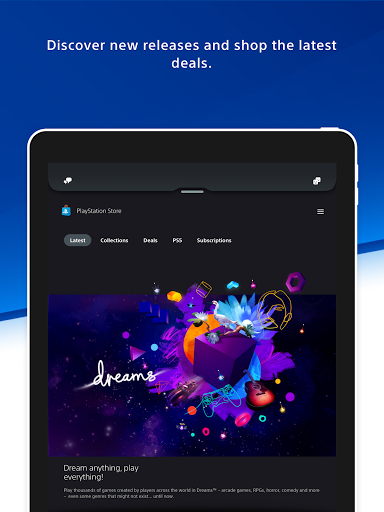
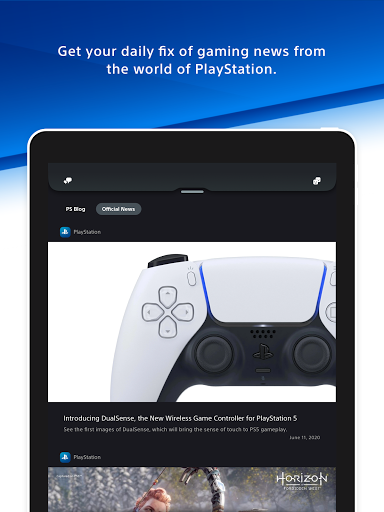
2. Discover New Games and News: Gaming enthusiasts can now conveniently shop for new releases, pre-order games, and explore the latest deals and discounts on the PlayStation Store directly from the app. This eliminates the need to navigate through various websites or consoles to stay up to date with the gaming market. Additionally, the app provides a daily dose of gaming news from the world of PlayStation, ensuring that users are always in the loop and can quickly access the information they desire.
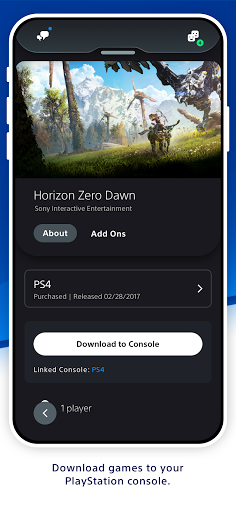
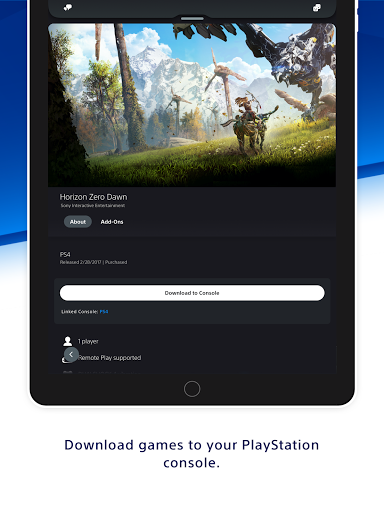
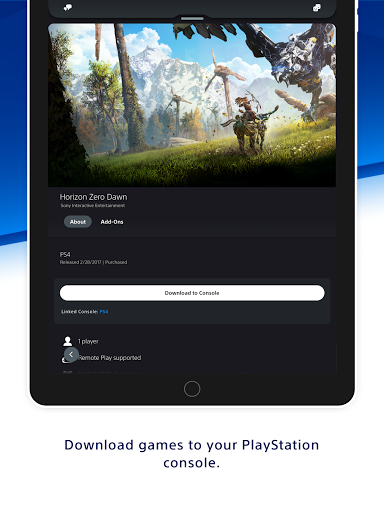
3. Control Your Console Anywhere: One of the standout features of the PlayStation App is the ability to manage your console remotely. Users can download games and add-ons to their console, ensuring that they are ready to play when they are. Additionally, for those who find themselves running out of console storage, the app offers the convenience of managing their PS5 console storage on the go. The quick sign-in and remote game launch features also allow for seamless gaming experiences, saving valuable time and enhancing overall user satisfaction.
Disadvantages
1. Country/Region Limitations: It is important to note that the content available on the PlayStation App may vary depending on the user's country or region. This means that some titles displayed in the app may not be available for download or purchase in certain areas. While this limitation is understandable due to licensing agreements and regional restrictions, it can be disappointing for users who are eagerly awaiting a specific game or deal that may not be accessible to them.
2. Console Compatibility: Another disadvantage of the PlayStation App is that certain features require a PS5 or PS4 console to function. While this may seem like a given, it can be frustrating for users who do not own these consoles or are unable to upgrade to them at the moment. The app should strive to offer a more inclusive experience for all PlayStation users, regardless of their console model.
3. Account Requirement: To utilize the PlayStation App, users must have a PlayStation Network (PSN) account. While this may seem like a minor inconvenience for existing PSN users, it can be a barrier of entry for new users who may be interested in using the app but do not own a PSN account. Implementing alternative registration options, such as creating a new account within the app, could potentially attract a wider user base.
Which PlayStation App APK Version Is Best?
Latest Version (Recommended for Most Users)
The latest PlayStation App APK is the best choice for most users. Recent releases mainly focus on performance improvements, authentication reliability, and new PS5 companion features rather than major interface changes. Recent updates have reduced unexpected sign-outs, improved messaging, and enhanced Game Help and Party Share integration for PS5 users.
Version 26.3–26.5 (Good Balance of Stability)
Many users consider versions in the 26.3–26.5 range to be particularly stable. These versions introduced improved sign-in reliability, expanded messaging features, and account creation enhancements without major UI changes, making them a good choice for users who prioritize stability.
Older Versions
Older PlayStation App versions remain useful for users with older Android devices or those experiencing compatibility issues after updating. They generally provide the core features—such as PS Store browsing, messaging, and remote downloads—but may not include the latest PS5 integrations or security improvements.
Which Version Should You Choose?
Latest version: Best for most users who want the newest PS5 features, better security, and improved account stability.
Version 26.3–26.5: Recommended if you prefer a proven stable release with mature messaging and authentication improvements.
Older versions: Suitable only when newer releases are incompatible with your Android device.
Frequently Asked Questions
1. Is the PlayStation App available for both iOS and Android devices?
Yes, the PlayStation App is compatible with both iOS and Android devices, ensuring that users across different platforms can access its features.
2. Can I use the PlayStation App without a PlayStation console?
While some features require a PS5 or PS4 console, such as game downloads and management, many other features, such as connecting with friends and browsing the PlayStation Store, can be enjoyed without owning a console.
3. Can I purchase games and add-ons directly from the PlayStation App?
Yes, users can browse the PlayStation Store, shop for new releases, pre-order games, and take advantage of deals and discounts directly from the app.
Analysis from the Editor's Perspective
As an avid gamer myself, I find the PlayStation App to be an indispensable tool in enhancing my gaming experience. The convenience of staying connected with friends, managing my console remotely, and accessing the latest gaming news and deals all in one place is unmatched. The app's intuitive interface and seamless integration with the PlayStation ecosystem make it a joy to use.
However, I do believe there is room for improvement. The country/region limitations and console compatibility restrictions can be frustrating and exclusionary for certain users. Expanding the availability of content and features to a wider audience would significantly enhance the overall user experience.
In conclusion, the PlayStation App is a powerful tool that brings gamers closer together and enhances their overall gaming experience. With its seamless connectivity, game management features, and access to the latest news and deals, this app is a must-have for any PlayStation enthusiast. While there are a few drawbacks to consider, the advantages far outweigh them. So, download the PlayStation App today and unlock a whole new level of gaming enjoyment.
PlayStation App
Version 26.9.2 Updated 2026/09/24


