

The Weather Channel - Radar







The Weather Channel - Radar App Info
-
App Name
The Weather Channel - Radar
-
Package Name
com.weather.Weather
-
Developer
The Weather Channel -
Category
Weather -
Updated
2026/10/12
-
Version
16.25.0
1. The Weather Channel - Radar App Usage Overview
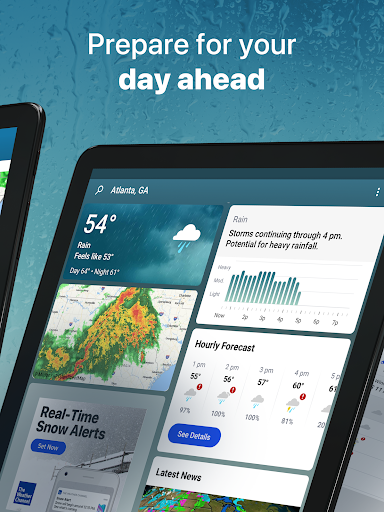
📍 The Weather Channel - Radar is built for real-world preparedness, helping you monitor rain, storms, and daily precipitation without guessing from vibes or vague forecasts.
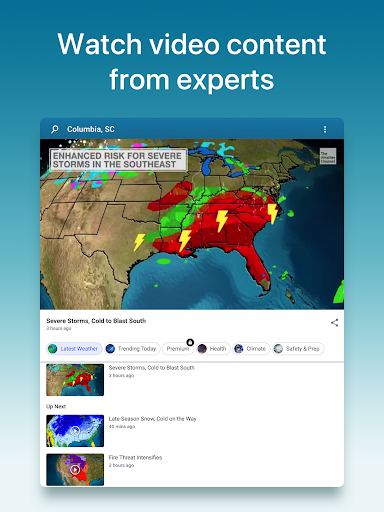
🔔 Start by checking local radar and storm maps, then rely on real-time alerts that notify you when conditions change near your exact location.
🕒 Use the 24-hour future radar and hourly rain tracker to plan commutes, deliveries, and outdoor schedules with better timing and fewer last-minute disruptions.
☔ For rain readiness, the app highlights live Doppler radar updates and precipitation trends so you can anticipate heavy downpours before they fully arrive.
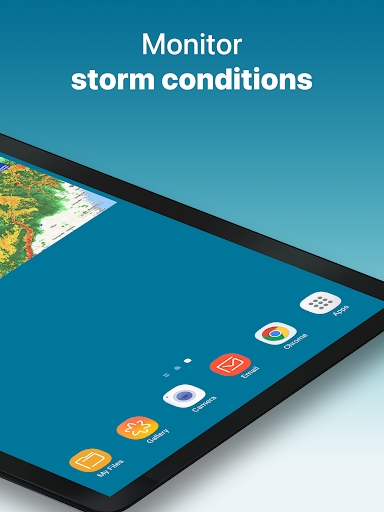
⚡ During storm season, switch focus to storm radar and alerts for severe weather, including rain, snow, and other inclement conditions that affect travel and operations.
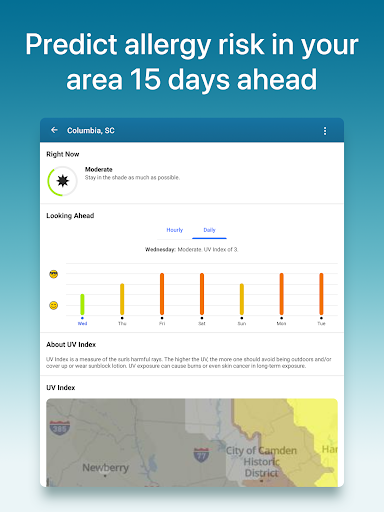
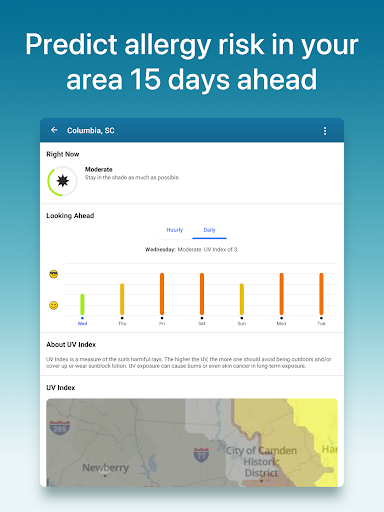
🤧 For allergy and air-quality planning, the allergy tracker and air quality index help you manage exposure during high-risk days for pollen and irritants.
🏠 Keep forecasts accessible on your home screen via widgets, including “Feels Like” and short-horizon alerts for the next 3 hours.
📈 If you manage time-sensitive work, frequent forecast updates hourly and daily can support smoother planning for field teams, warehouses, and client communication.
💳 For users who rely on premium features, The Weather Channel Premium adds deeper radar and forecast detail, useful for subscription planning and subscription-based weather intelligence.
🔒 Privacy controls and transparent policy links make it easier to review how your data is handled, which matters when weather insights are integrated into business workflows.
🧾 For transparency, the app’s mention of forecast accuracy references can be relevant when you evaluate weather tools for compliance-minded planning.
2. Pros of The Weather Channel - Radar App
✅ Local radar and storm tracker clarity stands out, since the app focuses on live rain radar readings and storm radar alerts near where you actually are.
🛡️ Real-time notifications improve safety for families and teams, especially when severe weather alerts guide you toward earlier preparation for heavy rain or snow.
🧠 Planning support is strong because the app combines a 24-hour future radar, hourly rain tracker, and a daily precipitation forecast tracker.
3. Cons of The Weather Channel - Radar App
⚠️ Like many weather apps, alert volume can feel intense during active storm periods, and some users may need to fine-tune notifications to avoid fatigue.
📶 Data usage may be noticeable when running live Doppler radar and storm maps continuously, which can be a concern while traveling or on limited plans.
💡 Advanced features such as deeper forecast and advanced radar are more valuable with Premium, so free-tier users may feel nudged toward subscription upgrades.
4. Summary
🌦️ The Weather Channel - Radar is a practical, preparedness-first app that turns storm and rain tracking into something you can use daily, not just when trouble hits.
📣 The combination of live storm maps, severe weather alerts, and an allergy tracker makes it useful for both safety planning and health-conscious routines.
🏢 For business-minded users, better timing for fieldwork, logistics, and client scheduling can indirectly support operational cost control and more reliable service delivery.
💬 If you want a weather companion that emphasizes local accuracy, hourly changes, and actionable warnings, this app delivers a strong baseline experience.
🔎 If you need more depth, Premium’s ad-free environment and advanced radar details can be worth evaluating as a subscription tool for serious planning.
5. How to Download the The Weather Channel - Radar App
📲 You can download The Weather Channel - Radar app from the official website, then install it on your Android device to access local forecast tools.
🧭 After installation, grant location permissions if you want accurate weather alerts tied to your current area and more relevant radar readings.
☔ Open the app and begin with radar, storms, and hourly tracking, then turn on severe weather alerts for rain, snow, and other high-impact conditions.
🤧 Next, explore the allergy tracker and air quality index so you can prepare during allergy season with pollen and irritant awareness.
🖥️ Finally, customize your experience with widgets and dark mode compatibility, so forecasts and alerts stay useful even at a glance.
📩 If you have questions during setup, the app’s feedback and support contact options can help, including email support for user guidance.
The Weather Channel - Radar
Version 16.25.0 Updated 2026/10/12


