

Microsoft Authenticator

Microsoft Authenticator App Info
-
App Name
Microsoft Authenticator
-
Package Name
com.azure.authenticator
-
Developer
Microsoft Corporation -
Category
Business -
Updated
2026/04/17
-
Version
6.2604.2550
Microsoft Authenticator App Usage Overview
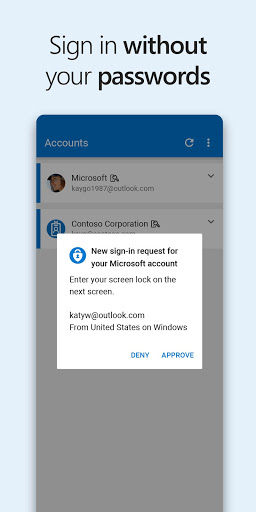
🔐 Microsoft Authenticator helps you sign in securely across accounts using multi-factor authentication (MFA) and passwordless sign-in for modern finance, SaaS, and enterprise logins.
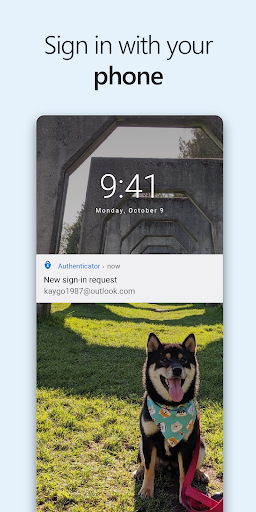
📲 After you enter your password, you approve a push notification or type a time-based one-time password (OTP) generated by the app.
⏱️ Each OTP has a 30-second countdown, so you don’t reuse the same code and you don’t have to memorize numbers during high-volume account access.
🔇 The OTP code works without network connectivity and won’t drain your battery, which matters when traveling for client meetings or managing payroll portals.
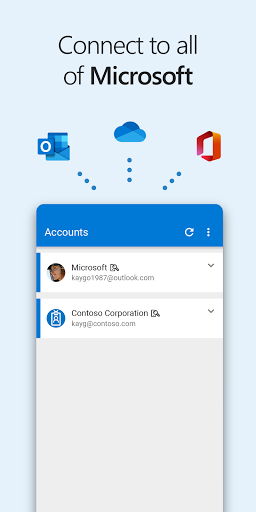
➕ You can add multiple accounts in one place, including Microsoft personal and work or school accounts plus popular services tied to subscriptions, billing, and collaboration.
🏢 For organizations, the app supports device registration and certificate-based authentication, improving trust for enterprise services and regulated systems.
🔁 Once you confirm your identity, single sign-on can reduce repeated prompts when accessing other Microsoft apps on the same device.
🧾 Optional permissions are available, and the app still supports essential sign-in workflows without granting location or extra access that some policies may request.
Pros of Microsoft Authenticator App
✅ Strong security for high-value accounts: You get a second layer via approvals or OTP codes, making it better for banking, payments, and SaaS administration.
🧠 Passwordless support improves speed: You can sign in using your phone approval plus biometric or PIN verification for smoother login flows.
📦 Works across account types: Add Microsoft accounts and non-Microsoft providers like Google, GitHub, and others commonly used with subscription dashboards and cloud services.
Cons of Microsoft Authenticator App
⚠️ Dependence on your device: If you lose access to your phone and haven’t set recovery options, regaining access can be time-consuming for busy users.
📵 Approval delays may happen: Push notifications rely on app responsiveness and service availability, which can feel slower during peak authentication moments.
🔐 Permission prompts can complicate policy setups: Some organizations request location or camera access, and optional storage access is limited to troubleshooting scenarios.
Summary
🧩 Microsoft Authenticator feels built for real-world security needs, especially when you manage multiple accounts tied to payments, cloud platforms, and enterprise resources.
📱 The OTP and approval options offer flexibility, while the passwordless flow makes everyday sign-ins less annoying without sacrificing protection.
🏢 If you work with a company or school tenant, device registration and certificate-based authentication are standout features for trusted sign-in experiences.
💡 My overall view is positive: it’s practical for both personal subscriptions and workplace systems, and it helps reduce password fatigue with secure verification.
How to Download the Microsoft Authenticator App
⬇️ You can download Microsoft Authenticator from our website, then install it on your phone to start setting up multi-factor authentication and passwordless sign-in.
🛠️ After installation, follow the in-app setup steps to add your accounts, register your device for work or school, and enable the verification methods your organization supports.
🔍 Once configured, you can manage MFA and approvals from the same app used across services, making sign-ins consistent for finance, SaaS, and enterprise workflows.
Microsoft Authenticator
Version 6.2604.2550 Updated 2026/04/17


