

Xfinity
Xfinity App Info
-
App Name
Xfinity
-
Package Name
com.xfinity.digitalhome
-
Developer
Comcast -
Category
Productivity -
Updated
2026/09/30
-
Version
6.13.0-2
1. Xfinity App Usage Overview
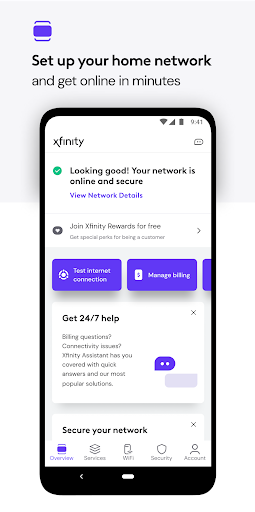
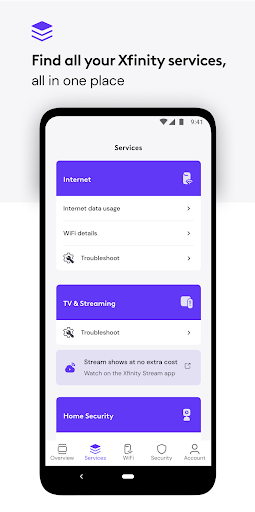
📱 The Xfinity app brings your internet, mobile, and home services into one dashboard, making everyday account tasks feel faster and more connected.
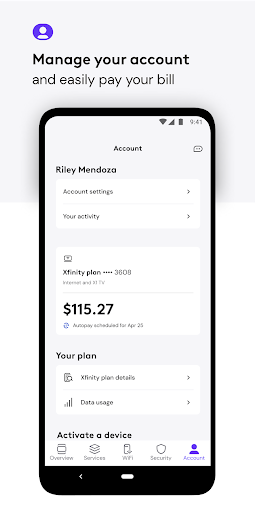
💼 It’s built for subscription-style convenience: you can pay your bill, check plan details, and manage service changes without jumping between portals.
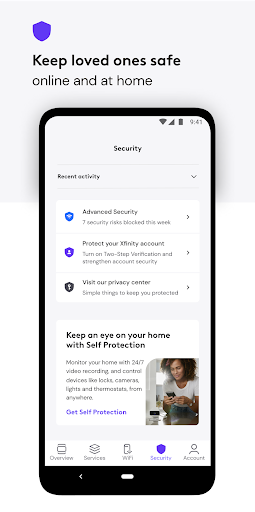
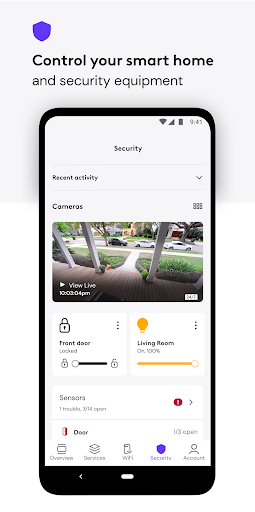
🛡️ For enterprise-like control, it pairs account management with security options that help protect devices and improve safe browsing behavior.
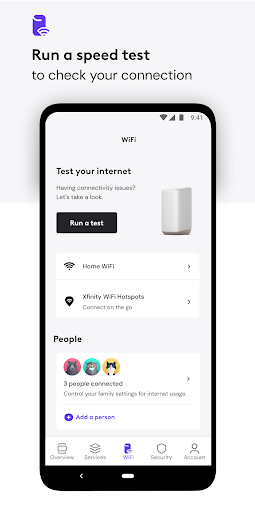
⚙️ You can activate or troubleshoot equipment using in-app tools, including guidance for setup and ways to test your internet speed.
📶 A key feature is the Gateway Speed Test, which checks speed delivered directly to your Xfinity WiFi Gateway for more accurate performance context.
🧠 If you’re comparing packages, the app supports decision-making by showing plan information and helping you explore upgrades when you need more capacity.
🔁 Support is also integrated, offering 24/7 real-time assistance when something goes wrong with connection, billing, or setup.
🗓️ The app fits everyday recurring payments workflows by consolidating bill view and management actions in the same place you manage connectivity.
🌐 For customers evaluating a bundled services model, NOW offers an all-in monthly approach for internet and mobile aligned with “just what you want” pricing simplicity.
💳 Those interested in high-value telecom services often look for tools that reduce churn risk, and this app focuses on clarity, continuity, and fewer steps.
2. Pros of Xfinity App
✅ 1. Always-on customer support helps reduce downtime, offering 24/7 real-time help for connection issues, billing questions, and equipment setup.
🚀 2. Solid performance tools, including WiFi tips and the Gateway Speed Test, help you understand and improve the experience across connected devices.
🛡️ 3. CyberSecure and Family Settings add security and control, including safe browsing support and options to pause WiFi for connected devices.
💡 The combination of security + performance tools is especially useful if you want fewer “where do I go next?” moments across your subscription bundle.
🏠 For home users who also manage work devices, these controls can lower risk from inconsistent WiFi and support safer connected routines.
3. Cons of Xfinity App
⚠️ 1. Some features require extra runtime permissions, and the VPN Service behavior may feel intrusive if you’re strict about app privacy.
🌐 2. CyberSecure on-the-go activates when you’re on unsecured WiFi, but the occasional VPN execution may require patience and permission review.
🧩 3. The app offers many controls, yet that breadth can overwhelm new users who only want quick billing access or basic troubleshooting.
📱 If your goal is extremely simple account management, you may find navigation slightly busy compared with lean billing-only apps.
🧾 Like many telecom apps, some deeper settings may require careful attention, especially when toggling profiles, WiFi pause options, and security controls.
4. Summary
🌟 Overall, the Xfinity app feels like a practical command center for managing subscription-style connectivity, from payments to performance, in one place.
🔍 I like that it doesn’t just show account data; it pushes you toward action with speed testing, activation help, and WiFi improvement tools.
🛡️ The security layers stand out, particularly CyberSecure and Family Settings, because they address both everyday safety and device protection.
💬 Support being 24/7 real-time is a meaningful advantage for anyone relying on stable internet for work, streaming, and school.
⚖️ The trade-off is permissions and feature complexity, but once you understand what’s enabled, the app becomes easier to trust day to day.
🏁 If you want a telecom app that supports smarter connectivity management, better performance checks, and integrated security, this is a strong option.
📌 For customers exploring NOW or considering a bundled plan, the app’s all-in approach helps reduce friction while keeping account and internet tasks aligned.
5. How to Download the Xfinity App
⬇️ Download the Xfinity app from the Xfinity website to get the official version and start managing your services using your Xfinity ID.
🪪 To sign in, use your Xfinity ID and the password you set up when you created your account.
🔑 If you need an ID, you can create one at xfinity.com/getstarted, or look up your ID at xfinity.com/id.
🔐 If you forgot your password, reset it at xfinity.com/password and then sign in to access account tools and support.
🧾 You can also review information related to California Civil Code §1798.135 at xfinity.com/privacy/manage-preference for privacy controls and options.
📲 After installation, the app helps you manage subscriptions, run speed checks, and control security settings for home and on-the-go browsing.
🌐 In short, it’s designed to be the place where your Xfinity experience is organized, improved, and supported when you need help most.
Xfinity
Version 6.13.0-2 Updated 2026/09/30


